
Compare the job,
then the software.
You do not have to move your whole business to find out what helps. Start with the rental you already know.
Try the owner demo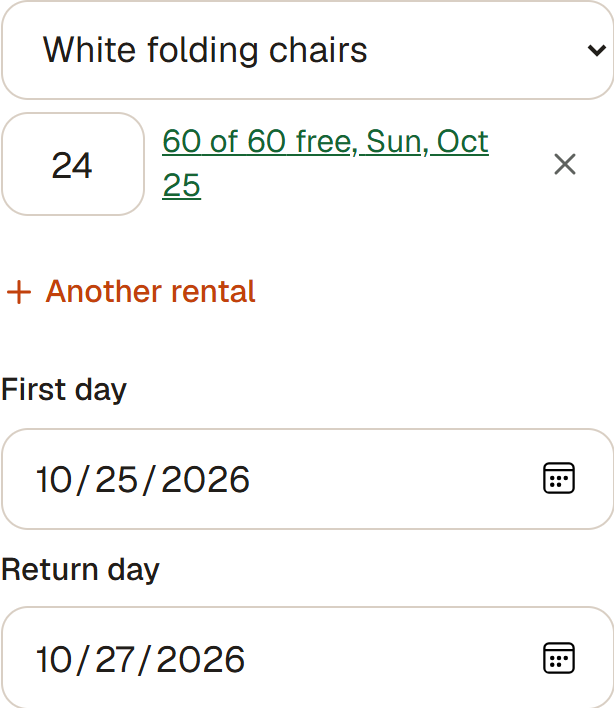
10 tables. 60 chairs. One Saturday.
A fictional rental, with Friday delivery, Saturday use and Sunday collection. This is a workflow example, not a provider test or a customer result.
- FridayDeliver & set up
- SaturdayThe rental
- SundayCollect & inspect
RentStand Core, today
$0/month today. No RentStand commission today. Set up your own shop page, bring your enquiries and accept direct payments. Rentals can overlap when enough units are available. Holds follow your shop policy; approved capped overbooking leaves a sourcing task. Integrated card payments and Pro are planned. See current pricing and account answers.
RentStand & Spreadsheets & messages
A useful choice when your few rentals stay easy to reconcile and you prefer full control of your records.
What the subscription means
Your existing tools and time. There is no universal software price for this approach.
Check before you choose
Someone must reconcile dates, quantities, agreed changes, money and returns across every record.
Check the full window
RentStand · availableCheck quantities across delivery, rental and collection. Holds follow shop policy; approved extra capacity leaves a sourcing task.
Spreadsheets & messages · manual workflowCheck all overlapping rows and handover dates manually.
Agree on one offer
RentStand · availableShare a dated owner offer with items, services and terms. Its scoped link supports a response without a mandatory account.
Spreadsheets & messages · manual workflowSend one versioned summary and keep the accepted response.
Separate the money
RentStand · direct payment records available; cards plannedTrack a partial booking deposit, remaining balance and refundable security separately. Confirm direct payment after receipt; card integration is planned.
Spreadsheets & messages · manual workflowMaintain separate rental, received-payment and security columns.
Run the day
RentStand · availableKeep delivery, setup, rental day and collection with the booking. The agreement is distinct from the work and money.
Spreadsheets & messages · manual workflowKeep a shared work list and the latest customer instructions.
Finish the return
RentStand · availableRecord what came back and what remains out, then resolve the security outcome. A payment correction does not erase gear history.
Spreadsheets & messages · manual workflowCount the return against the outgoing list and reconcile security.
A manual-workflow example, not a claim about a particular spreadsheet product.
RentStand & Booqable
Consider it when a booking page, website integrations and a mature rental-order workflow are central to your business.
What the subscription means
USD per month: Start USD35 monthly or USD29 billed yearly; Grow USD87 monthly or USD69 billed yearly; Scale USD187 monthly or USD149 billed yearly. Start includes the owner; Grow adds five users and Scale adds ten. Confirm regional checkout and tax.
Check before you choose
Website builder adds USD19/month. Mobile POS adds USD9 per active user/month. Deliveries adds USD9/month. Overbooking is in Scale. No booking commission is listed.
Check the full window
RentStand · availableCheck quantities across delivery, rental and collection. Holds follow shop policy; approved extra capacity leaves a sourcing task.
Booqable · documented / check specificsDocuments availability tracking, buffers and temporary sub-rental stock.
Agree on one offer
RentStand · availableShare a dated owner offer with items, services and terms. Its scoped link supports a response without a mandatory account.
Booqable · documented / check specificsDocuments quotes, contracts and invoices; e-signatures are in Grow.
Separate the money
RentStand · direct payment records available; cards plannedTrack a partial booking deposit, remaining balance and refundable security separately. Confirm direct payment after receipt; card integration is planned.
Booqable · documented / check specificsDocuments payments and per-order or per-product security deposits.
Run the day
RentStand · availableKeep delivery, setup, rental day and collection with the booking. The agreement is distinct from the work and money.
Booqable · documented / check specificsDocuments planning, scheduling and order/payment statuses.
Finish the return
RentStand · availableRecord what came back and what remains out, then resolve the security outcome. A payment correction does not erase gear history.
Booqable · documented / check specificsDocuments pickup/return history; barcode scanning is a paid add-on.
Booqable official plans and features ↗ · Public source checked October 11, 2026. Documented capabilities are not an independent test. Payment processing, tax, configuration and regional availability need confirmation.
RentStand & Goodshuffle Pro
Consider it when event proposals, client communication and a growing delivery team drive the work.
What the subscription means
Lite: USD39/month, one owner. Standard: USD139 monthly or USD99/month billed yearly, one owner and one limited user.
Check before you choose
Digital pull sheets and dispatch appear in Standard. Website and accounting integrations have separate add-on prices.
Check the full window
RentStand · availableCheck quantities across delivery, rental and collection. Holds follow shop policy; approved extra capacity leaves a sourcing task.
Goodshuffle Pro · documented / check specificsDocuments conflict detection in Lite and Standard.
Agree on one offer
RentStand · availableShare a dated owner offer with items, services and terms. Its scoped link supports a response without a mandatory account.
Goodshuffle Pro · documented / check specificsDocuments projects, quotes and contracts in Lite.
Separate the money
RentStand · direct payment records available; cards plannedTrack a partial booking deposit, remaining balance and refundable security separately. Confirm direct payment after receipt; card integration is planned.
Goodshuffle Pro · documented / check specificsDocuments online payments; verify payment/security policy with the provider.
Run the day
RentStand · availableKeep delivery, setup, rental day and collection with the booking. The agreement is distinct from the work and money.
Goodshuffle Pro · documented / check specificsStandard documents digital pull sheets and dispatch.
Finish the return
RentStand · availableRecord what came back and what remains out, then resolve the security outcome. A payment correction does not erase gear history.
Goodshuffle Pro · documented / check specificsDocuments fulfillment tools; verify your partial-return/security scenario in a demo.
Goodshuffle Pro official plans and features ↗ · Public source checked October 11, 2026. Documented capabilities are not an independent test. Payment processing, tax, configuration and regional availability need confirmation.
RentStand & Rentman
Consider it when coordinated equipment, crew and project schedules require specialist operations.
What the subscription means
EUR39/month platform + EUR14 per power user for Inventory Standard. Quoting & Invoicing adds EUR9 per power user. One-user example: EUR62/month before tax and other add-ons.
Check before you choose
Inventory, crew and add-ons are separate. Confirm your billing term and the modules each power user needs.
Check the full window
RentStand · availableCheck quantities across delivery, rental and collection. Holds follow shop policy; approved extra capacity leaves a sourcing task.
Rentman · documented / check specificsInventory documents availability, shortages and subrentals.
Agree on one offer
RentStand · availableShare a dated owner offer with items, services and terms. Its scoped link supports a response without a mandatory account.
Rentman · documented / check specificsQuoting & Invoicing documents branded quotes and online approval.
Separate the money
RentStand · direct payment records available; cards plannedTrack a partial booking deposit, remaining balance and refundable security separately. Confirm direct payment after receipt; card integration is planned.
Rentman · documented / check specificsQuoting & Invoicing documents partial payments and payment terms.
Run the day
RentStand · availableKeep delivery, setup, rental day and collection with the booking. The agreement is distinct from the work and money.
Rentman · documented / check specificsInventory and Crew document equipment, deliveries and crew schedules.
Finish the return
RentStand · availableRecord what came back and what remains out, then resolve the security outcome. A payment correction does not erase gear history.
Rentman · documented / check specificsEquipment Tracking is an add-on for check-in/out and scanning.
Rentman official plans and features ↗ · Public source checked October 11, 2026. Documented capabilities are not an independent test. Payment processing, tax, configuration and regional availability need confirmation.
RentStand & EZRentOut
Consider it when equipment maintenance, longer-term billing and business-level accounts matter.
What the subscription means
Growth: USD399/month billed annually. Premium: USD499/month billed annually. Enterprise: sales quote. Confirm included users and sites.
Check before you choose
Premium adds sub-renting, work orders and cycle billing. Enterprise adds multi-site support and custom integrations.
Check the full window
RentStand · availableCheck quantities across delivery, rental and collection. Holds follow shop policy; approved extra capacity leaves a sourcing task.
EZRentOut · documented / check specificsGrowth documents bookings and an availability calendar.
Agree on one offer
RentStand · availableShare a dated owner offer with items, services and terms. Its scoped link supports a response without a mandatory account.
EZRentOut · documented / check specificsDocuments rental orders and a webstore; verify your customer approval flow.
Separate the money
RentStand · direct payment records available; cards plannedTrack a partial booking deposit, remaining balance and refundable security separately. Confirm direct payment after receipt; card integration is planned.
EZRentOut · documented / check specificsGrowth documents payment integrations; Premium adds cycle billing.
Run the day
RentStand · availableKeep delivery, setup, rental day and collection with the booking. The agreement is distinct from the work and money.
EZRentOut · documented / check specificsGrowth documents mobile operation; Premium adds work orders.
Finish the return
RentStand · availableRecord what came back and what remains out, then resolve the security outcome. A payment correction does not erase gear history.
EZRentOut · documented / check specificsOfficial instructions document partial returns and quantity adjustments. Verify permission and plan requirements for editing rented-out orders.
EZRentOut official plans and features ↗ · Official partial-return instructions ↗ · Public source checked October 11, 2026. Documented capabilities are not an independent test. Payment processing, tax, configuration and regional availability need confirmation.
Subscription details at a glance
Public prices checked October 11, 2026. These are different currencies and scopes, not equivalent total operating costs. Payment processing, tax and additional users or modules can add costs.
| Option | Price and scope | Check separately |
|---|---|---|
| RentStand Core | $0/month today. No RentStand commission today. | Direct payment records available; integrated cards and Pro planned. |
| Spreadsheets & messages | Your existing tools and time. There is no universal software price for this approach. | Someone must reconcile dates, quantities, agreed changes, money and returns across every record. |
| Booqable | USD per month: Start USD35 monthly or USD29 billed yearly; Grow USD87 monthly or USD69 billed yearly; Scale USD187 monthly or USD149 billed yearly. Start includes the owner; Grow adds five users and Scale adds ten. Confirm regional checkout and tax. | Website builder adds USD19/month. Mobile POS adds USD9 per active user/month. Deliveries adds USD9/month. Overbooking is in Scale. No booking commission is listed. |
| Goodshuffle Pro | Lite: USD39/month, one owner. Standard: USD139 monthly or USD99/month billed yearly, one owner and one limited user. | Digital pull sheets and dispatch appear in Standard. Website and accounting integrations have separate add-on prices. |
| Rentman | EUR39/month platform + EUR14 per power user for Inventory Standard. Quoting & Invoicing adds EUR9 per power user. One-user example: EUR62/month before tax and other add-ons. | Inventory, crew and add-ons are separate. Confirm your billing term and the modules each power user needs. |
| EZRentOut | Growth: USD399/month billed annually. Premium: USD499/month billed annually. Enterprise: sales quote. Confirm included users and sites. | Premium adds sub-renting, work orders and cycle billing. Enterprise adds multi-site support and custom integrations. |
Keep what works.
Try one job differently.
Try one rental alongside your spreadsheet and messages. Check the offer, received payment and return against your current record before deciding what to move.
